
True Hourly Rate Calculator
Stop undercharging. Calculate the exact hourly rate you need to reach your income goals after taxes, expenses, and unbillable time.
Your Parameters
Take-home pay after taxes
Software, gear, office, travel
Vacation, holidays, sick days
Time spent actually doing client work vs. marketing/admin
Your True Hourly Rate
Recommended Rate
To take home $60,000 after taxes and expenses.
How to calculate your true hourly rate
Most freelancers set their rate by guessing, or by copying what others charge. The problem is that a headline hourly rate is not what you actually take home. Taxes, software, hardware, insurance, and the hours you spend on admin, marketing, and unpaid client communication all eat into it.
To find the rate you really need, start from the annual income you want to earn, add your yearly business expenses, and divide by the number of hours you can realistically bill. Billable hours are almost always far lower than the hours you work — a full-time freelancer rarely bills more than 25–30 hours a week once non-billable work is removed.
- Set your target annual income (your salary equivalent).
- Add your annual business costs and the taxes you expect to owe.
- Estimate how many hours you can genuinely bill per year.
- Divide total target revenue by billable hours to get your minimum rate.
The calculator above does this math for you. Once you know the number, you can convert tracked time into billable amounts with the decimal time converter , or price fixed-scope work with the project price calculator.
Frequently asked questions
What is a "true" hourly rate?
It's the rate that actually covers your target take-home income after taxes, business expenses, and the many hours you work but can't bill — admin, marketing, and client communication. It is almost always higher than the headline number freelancers first pick.
How many hours can a freelancer realistically bill?
Far fewer than they work. Even full-time, most freelancers bill only 25–30 hours a week once non-billable work is removed, so dividing your income target by 40 hours × 52 weeks will leave you badly underpriced.
Should I quote clients hourly or as a fixed price?
Hourly protects you when scope is uncertain; a fixed price rewards you when the scope is clear and you work efficiently. Either way, base the quote on your true hourly rate so you never drop below your floor — the project price calculator does exactly that.
Is this calculator free and private?
Yes. It is completely free and runs entirely in your browser — nothing you enter is stored or sent anywhere.
Now that you know your rate, track every minute of it.
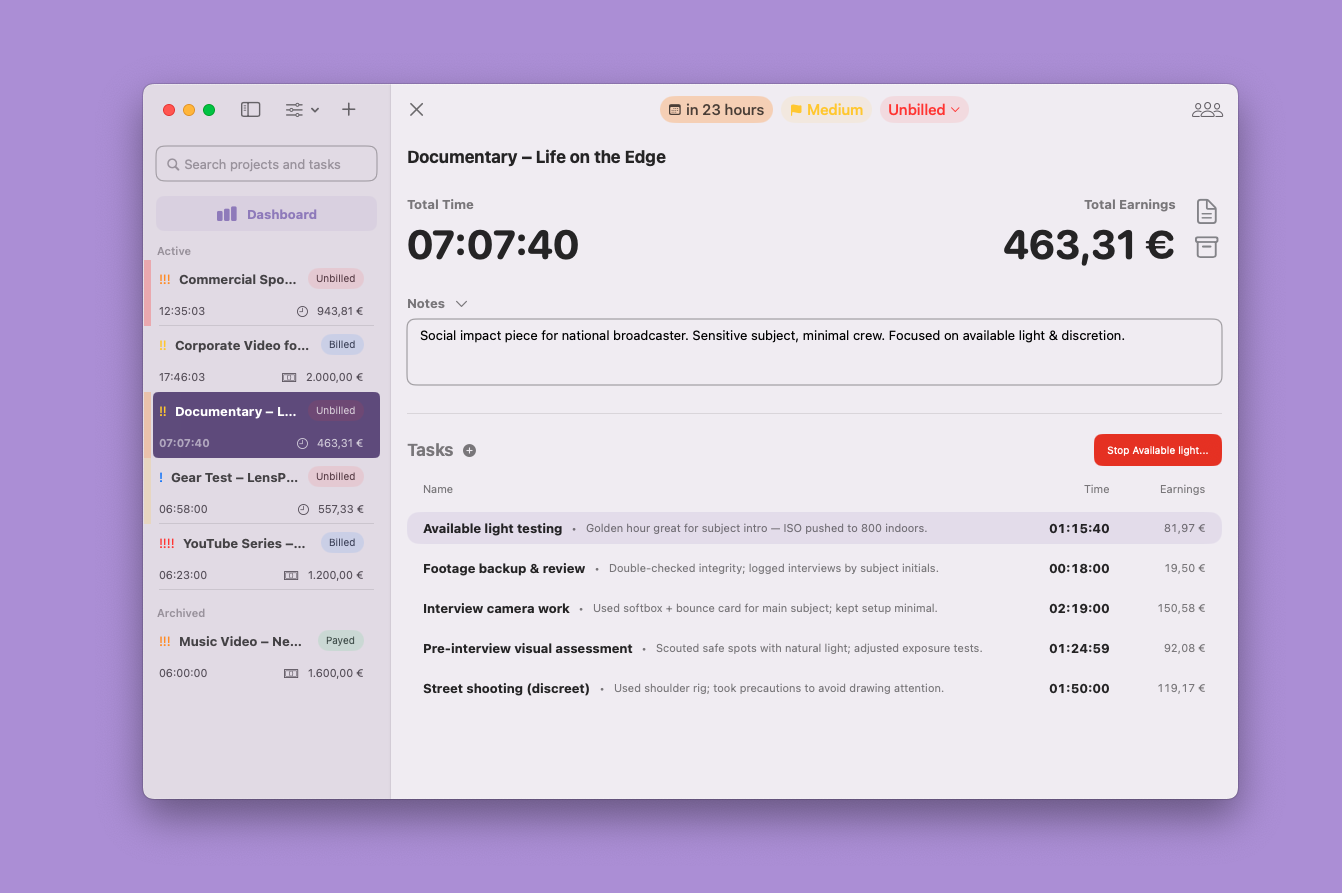
Knowing your rate is only half the battle. TimeBill for macOS helps you track your billable hours effortlessly and generates professional invoices so you actually get paid what you're worth.
- Track time by client, project and task.
- Create professional PDF invoices and timesheets in seconds.
- Export projects data and CSV reports.
- Manage time-based and fixed-price projects.
- Works offline — no login, no cloud.

More free tools
Pomodoro Timer
A clean, simple Pomodoro timer to help you focus and manage your work intervals effectively.
Decimal Time Converter
Quickly convert hours and minutes into a decimal format for easier billing and timesheet tracking.
Project Price Calculator
Estimate a fair fixed project price using hours, expenses, and risk buffers so you never undercharge.